

Shortest route
Most efficient route
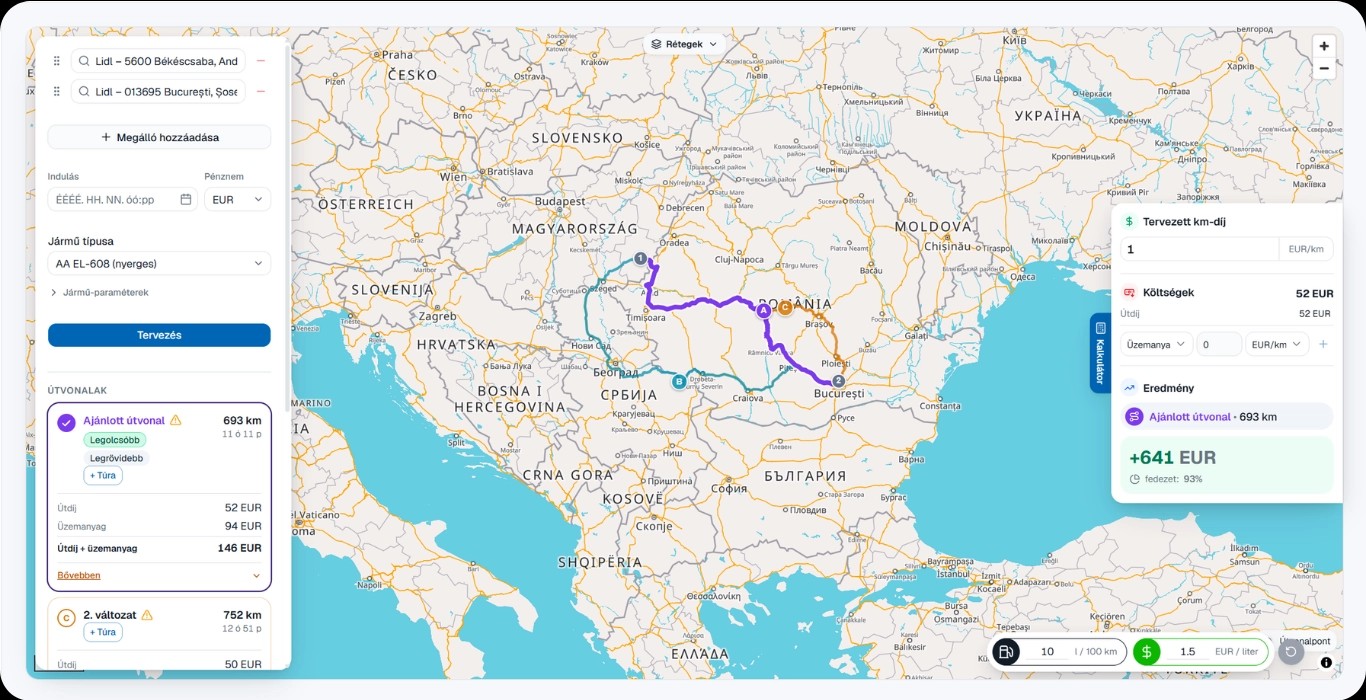
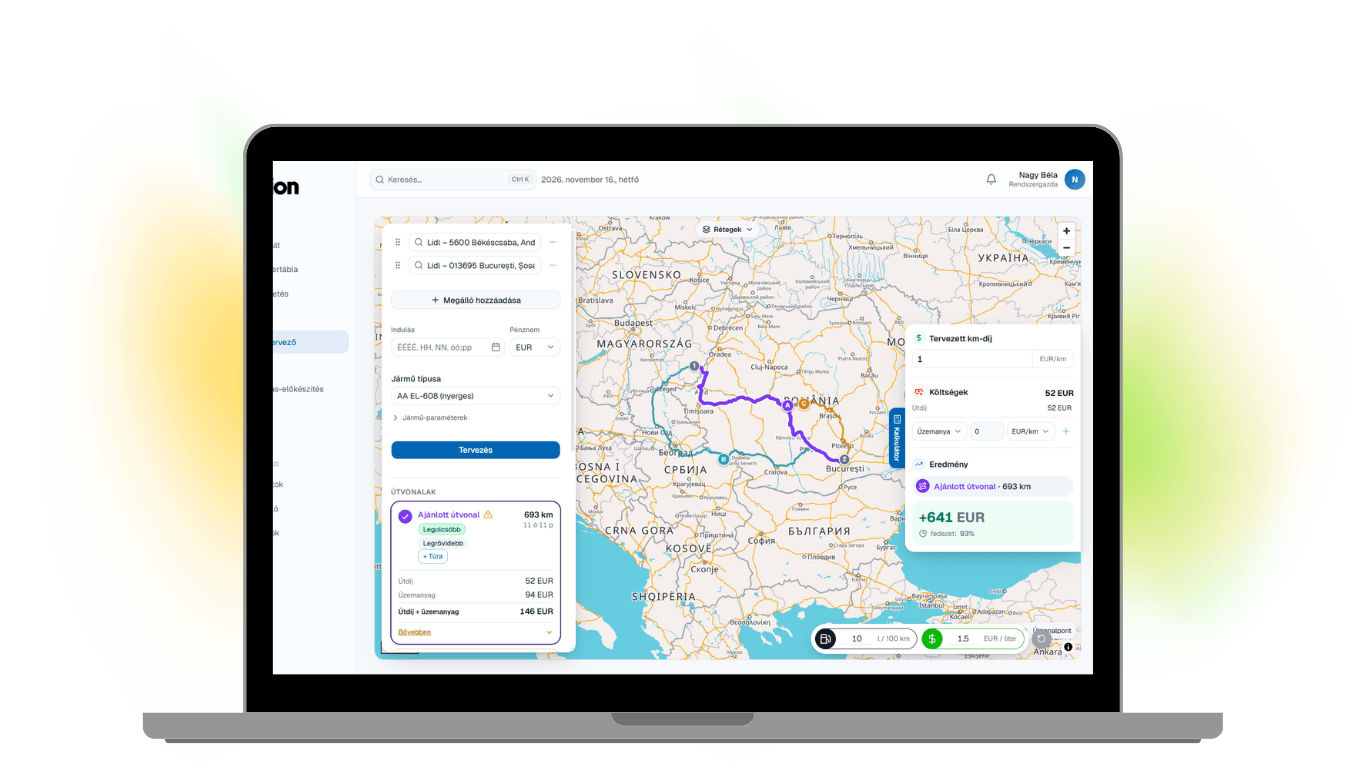
Plan your next job: enter the pickup, the drop-off and the vehicle, then calculate the expected result.
Vehicle-specific routing
Toll and fuel cost calculator
Multiple route suggestions
Manually adjustable routes
Profit calculator
Restriction warnings
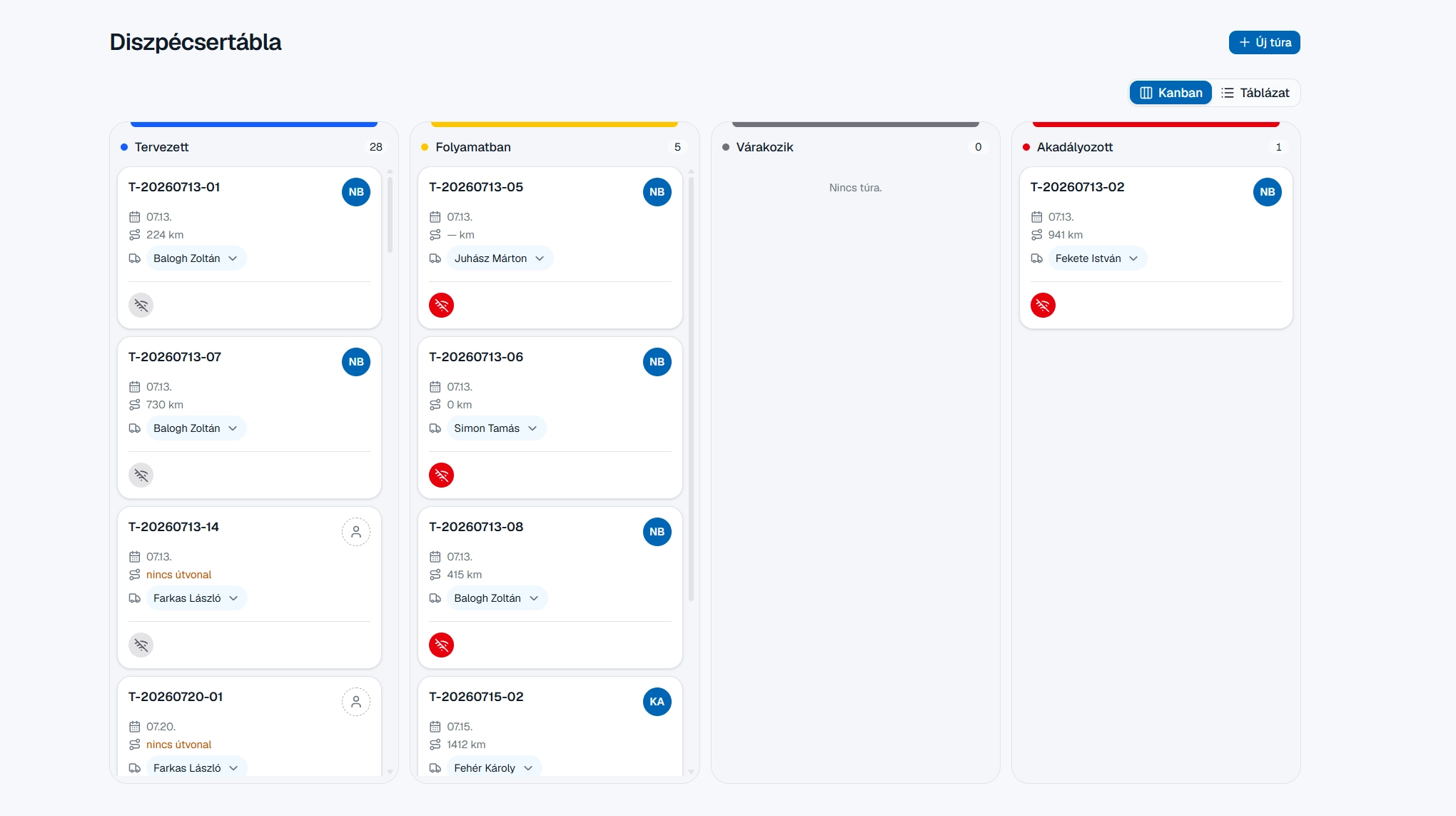
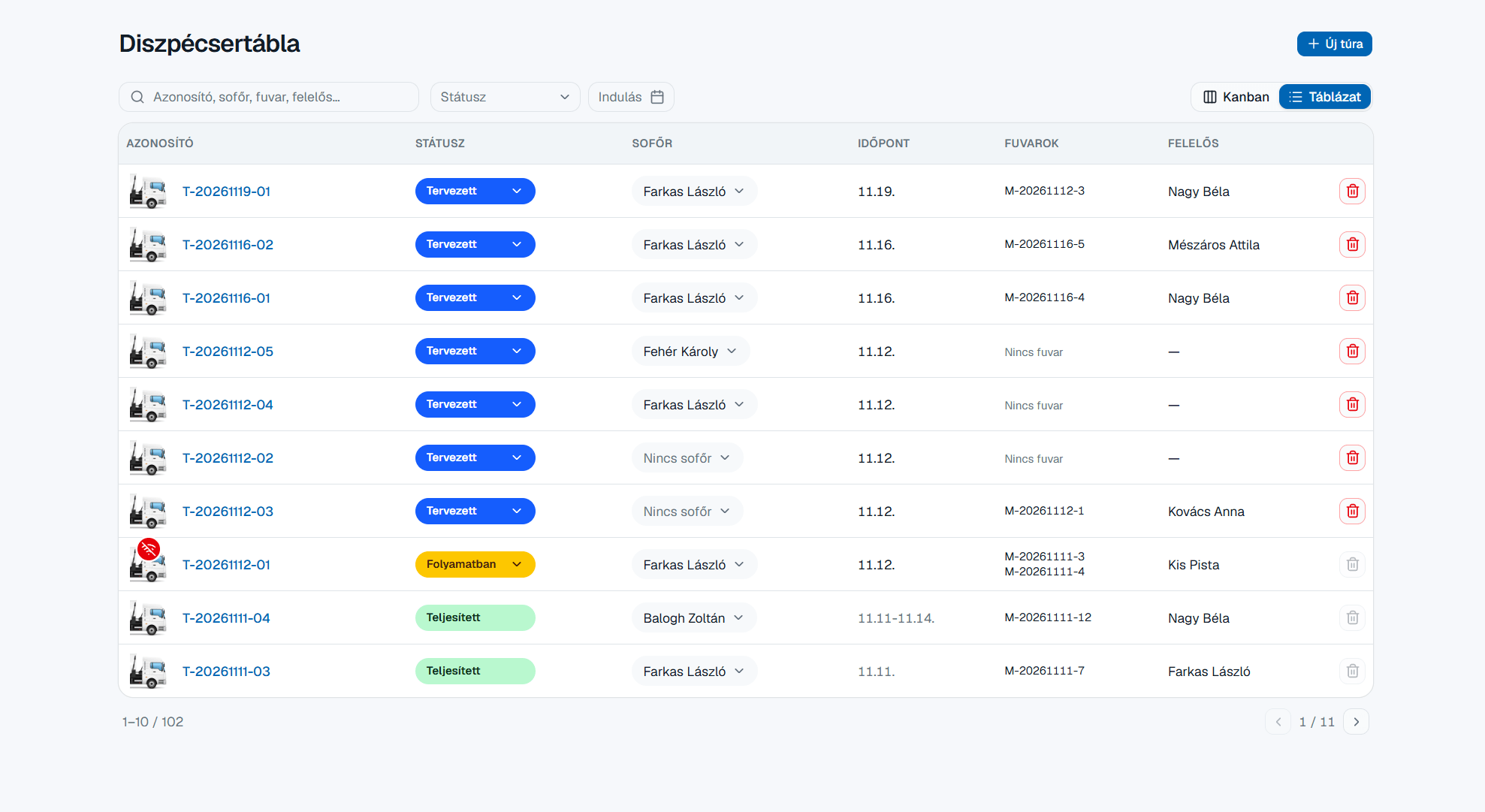
Transparent dispatching
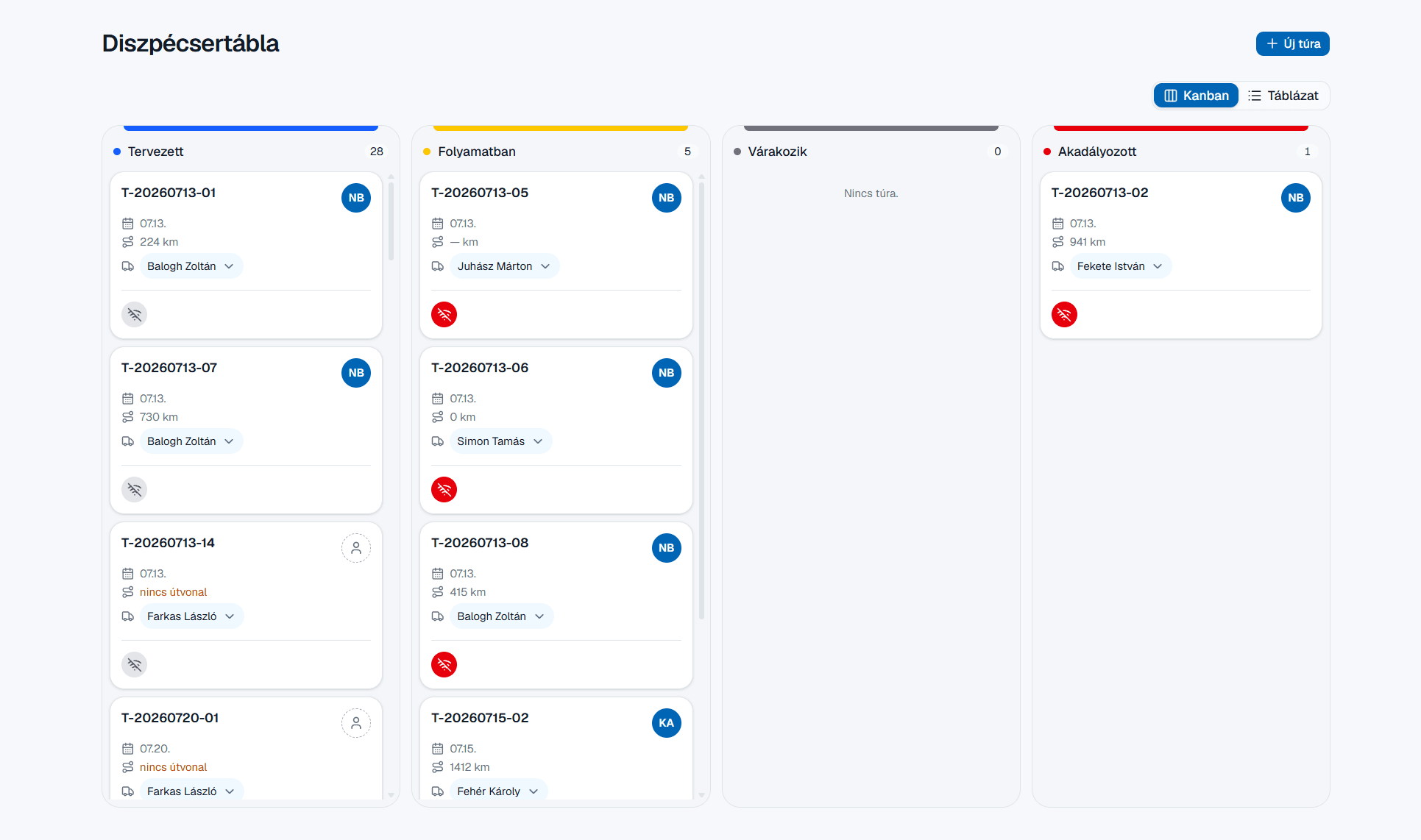
Pick either of the two views to organise your tours, then follow them through.

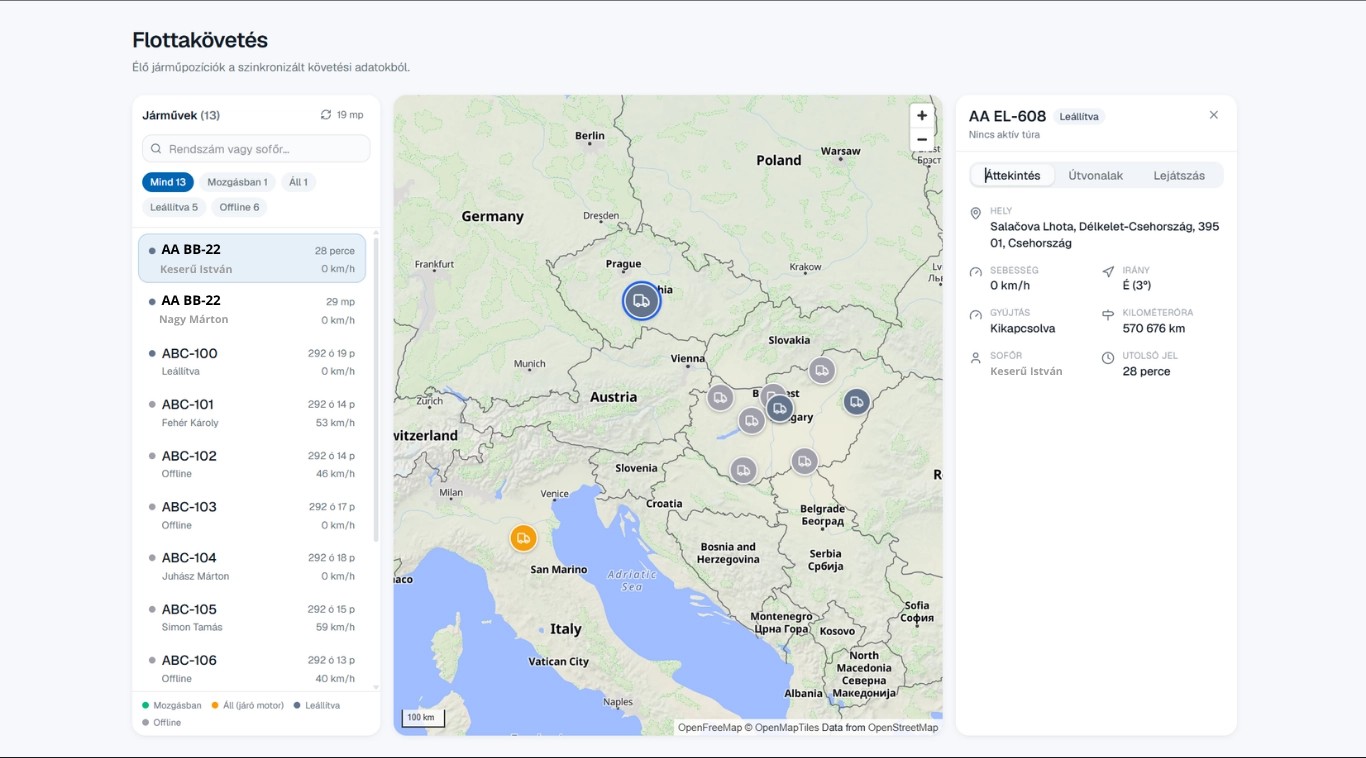
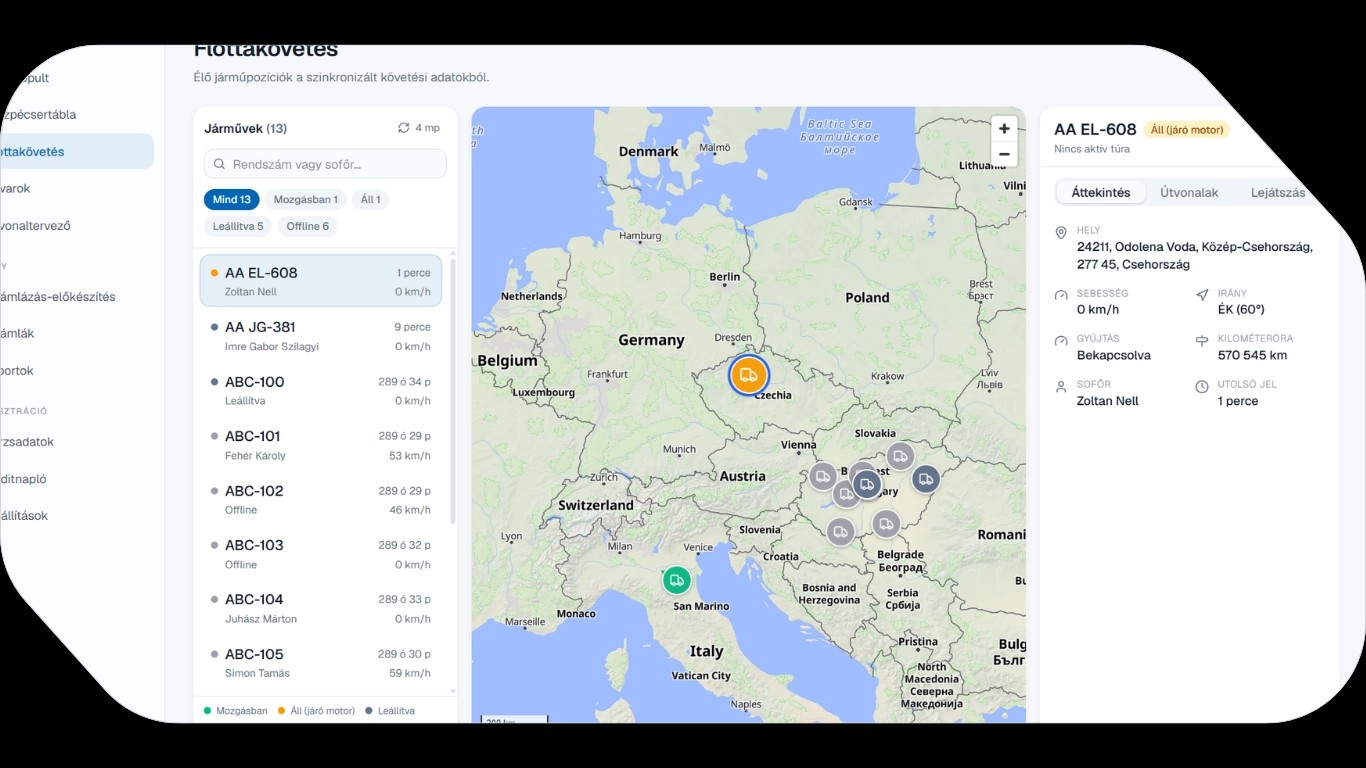
Live fleet position and data
We show the data from your existing fleet tracking system right in the TMS: live position, movement status, speed and odometer, linked to the job and the driver.
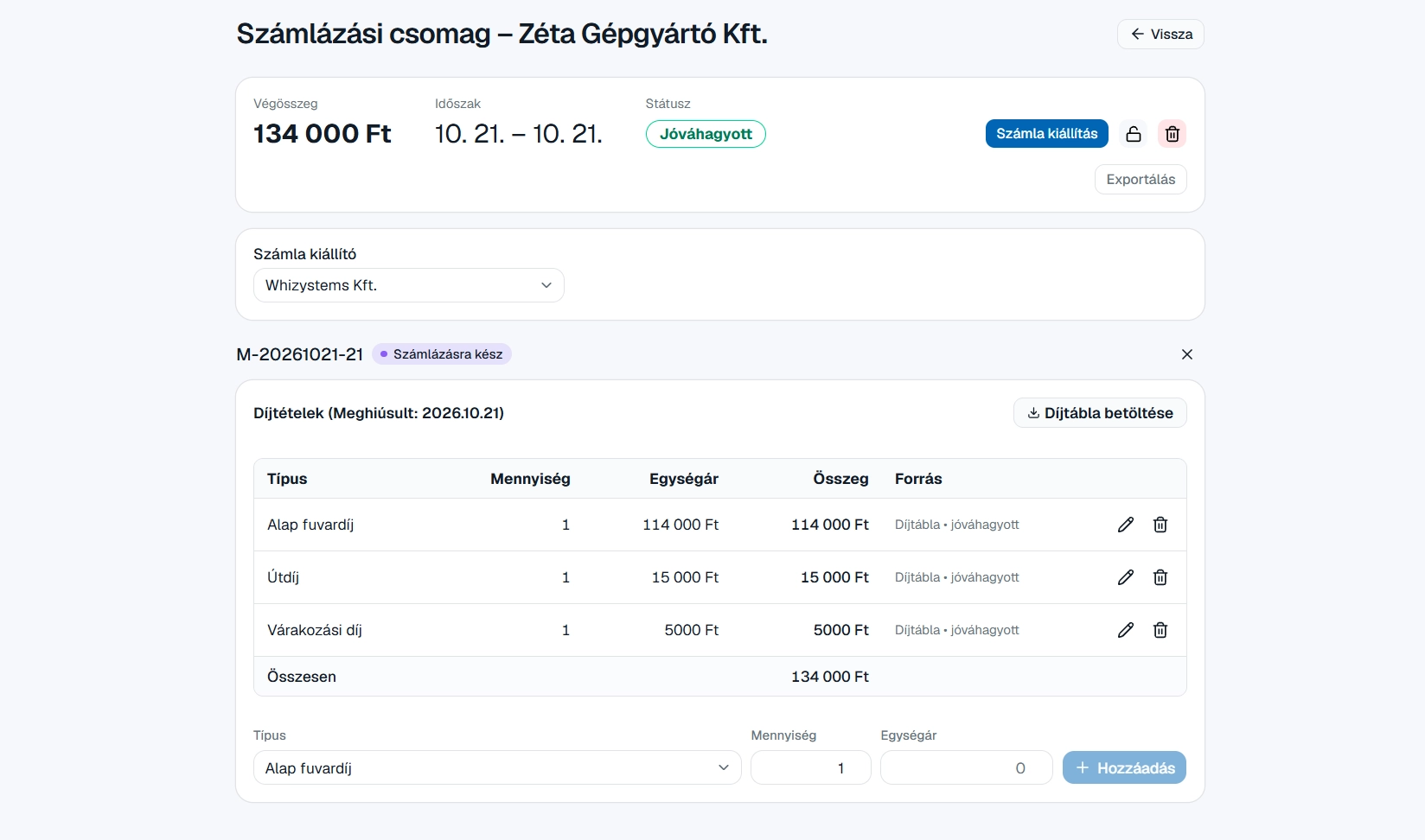
Billing made easy
For each partner, the system collects every completed job that hasn't been invoiced yet, together with its charges. All you need to do is review and approve the billing package. The invoice can then be issued straight from the system via the Számlázz.hu or Billingo integration, or exported for your accountant.
No job left uninvoiced.
Every completed job that hasn't been invoiced yet is visible.
No accidental double invoicing.
A job is only marked as invoiced once the invoice has actually been issued.
Charges stay editable until invoicing.
Once the invoice is issued, its items are locked, so nothing can be quietly changed afterwards.
Keep your current invoicing tool.
The module works without any integration, via export. Connecting another invoicing tool can be added through development.


Request access to our demo system!
Everyone sees what's relevant to them.
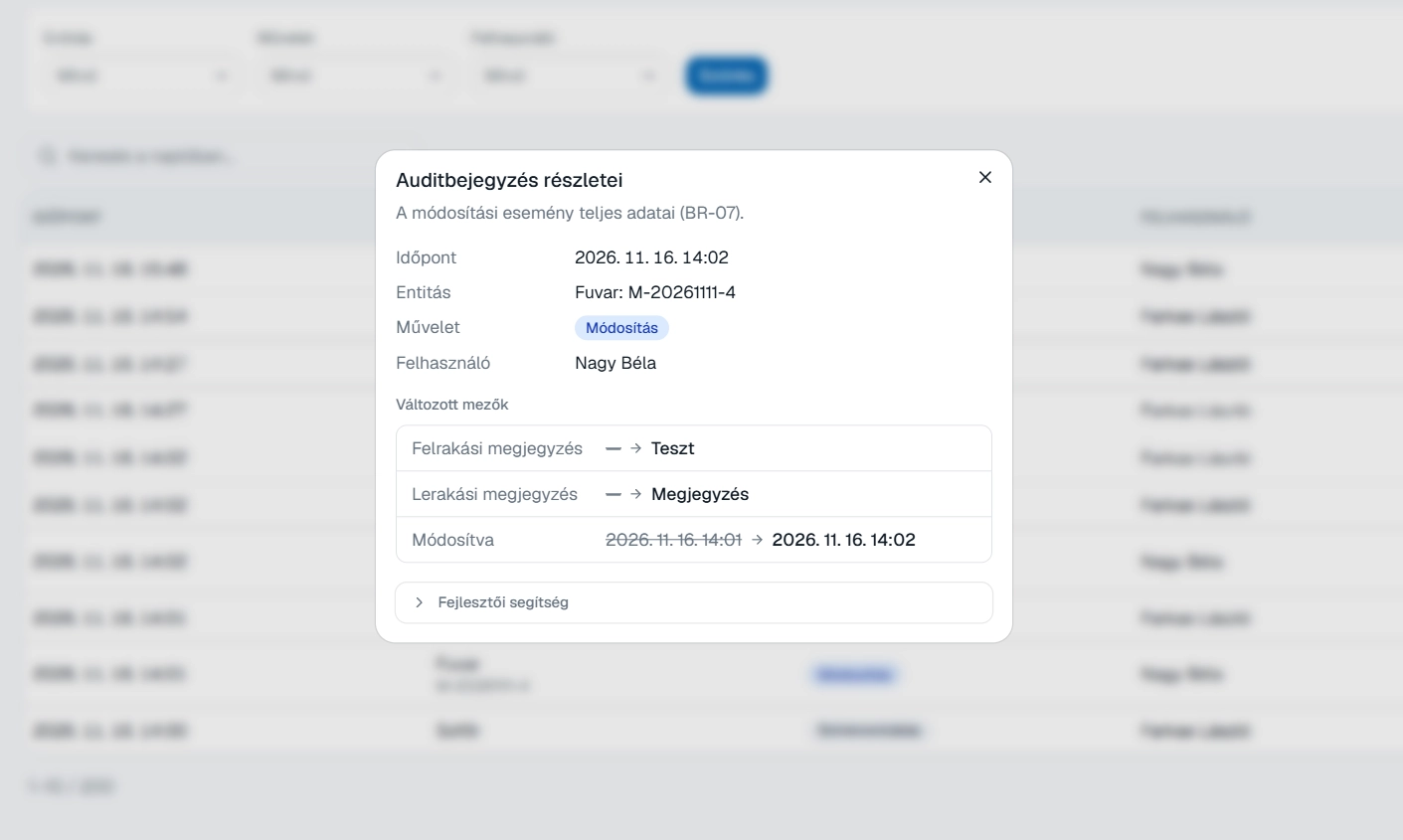
The system manages permissions by role and records every important change, so you can always trace who changed what, and when.
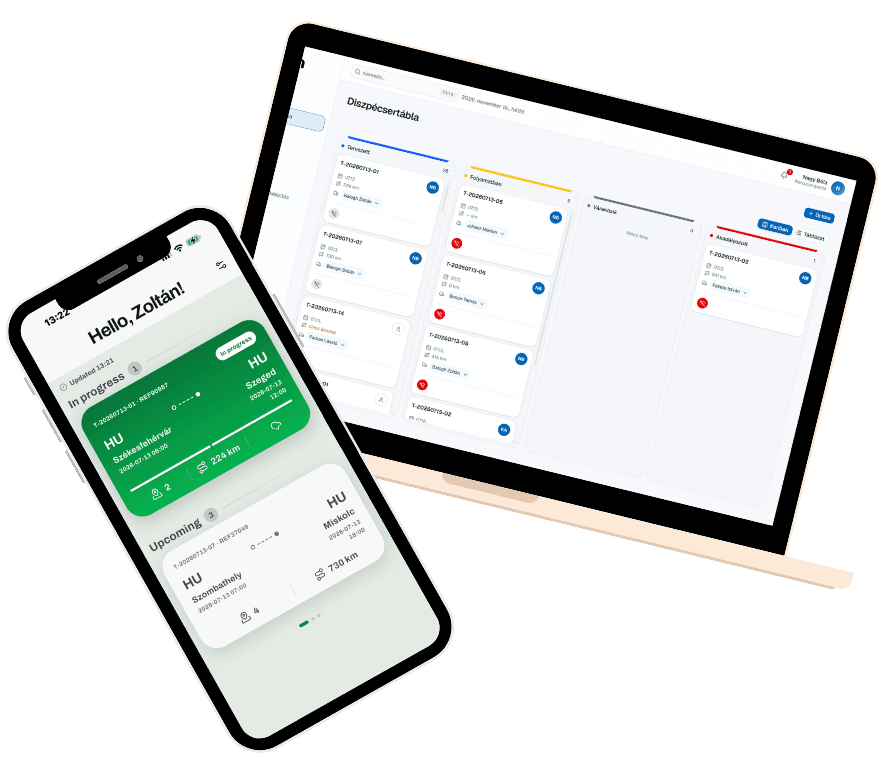
A mobile app
for every driver
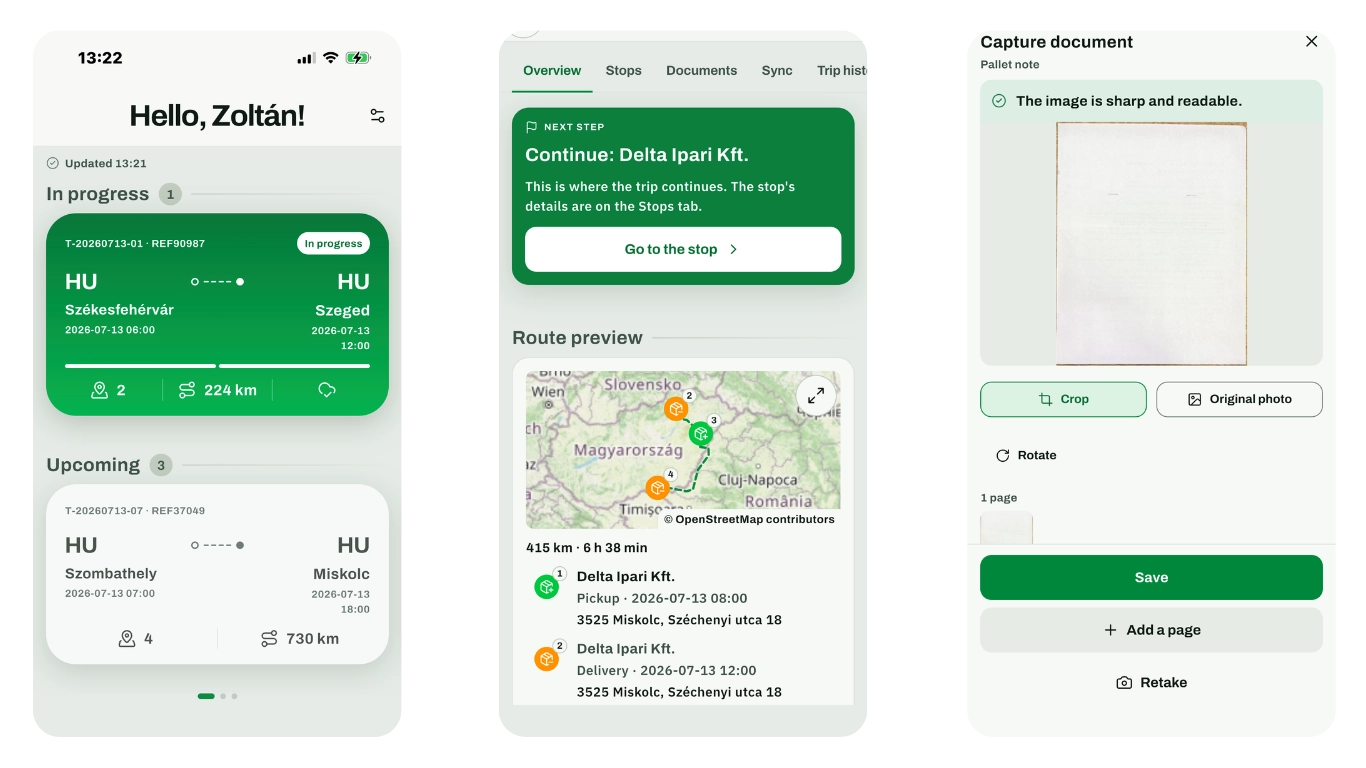
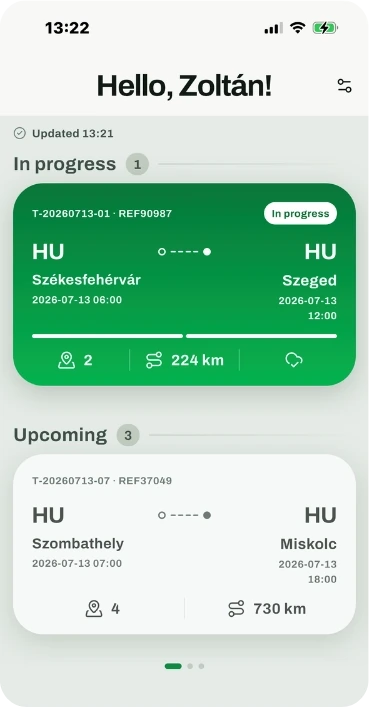
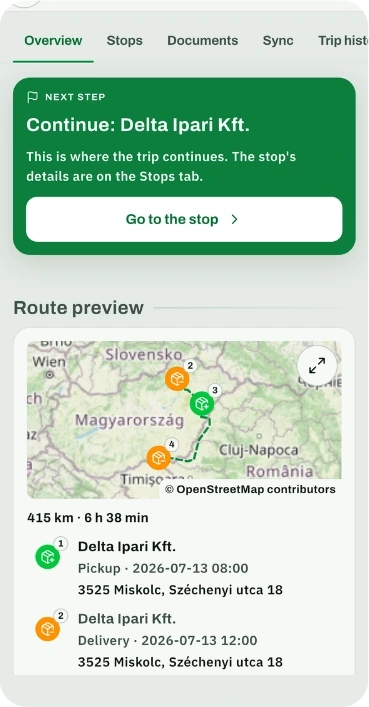
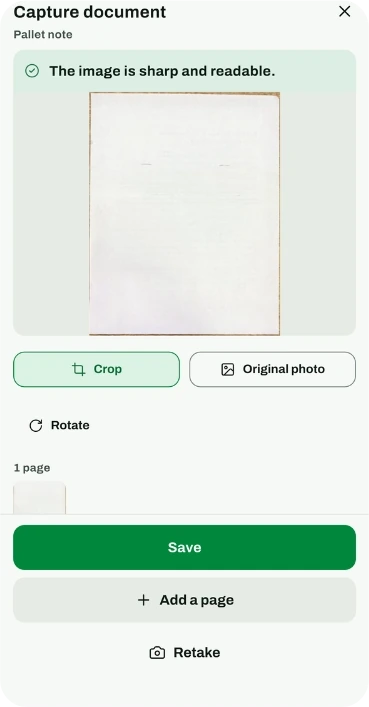
The Wagion mobile app complements the Wagion TMS. We built it specifically to make drivers' everyday work simpler and more efficient.
With the app, drivers can easily update job statuses, manage their tasks and upload transport documents. Thanks to the continuous flow of information, dispatchers can follow each job's progress in real time and hear about any problems on the road in time.
The Wagion mobile app has a practical, intuitive and easy-to-use interface. It is designed around simplicity, so drivers can get their daily tasks done as quickly and easily as possible.

Have a question?

TMS and driver app
for professional freight forwarding companies.
Download the mobile app


Having a problem with the app?
Tell us what happened, attach a screenshot, and we'll help.